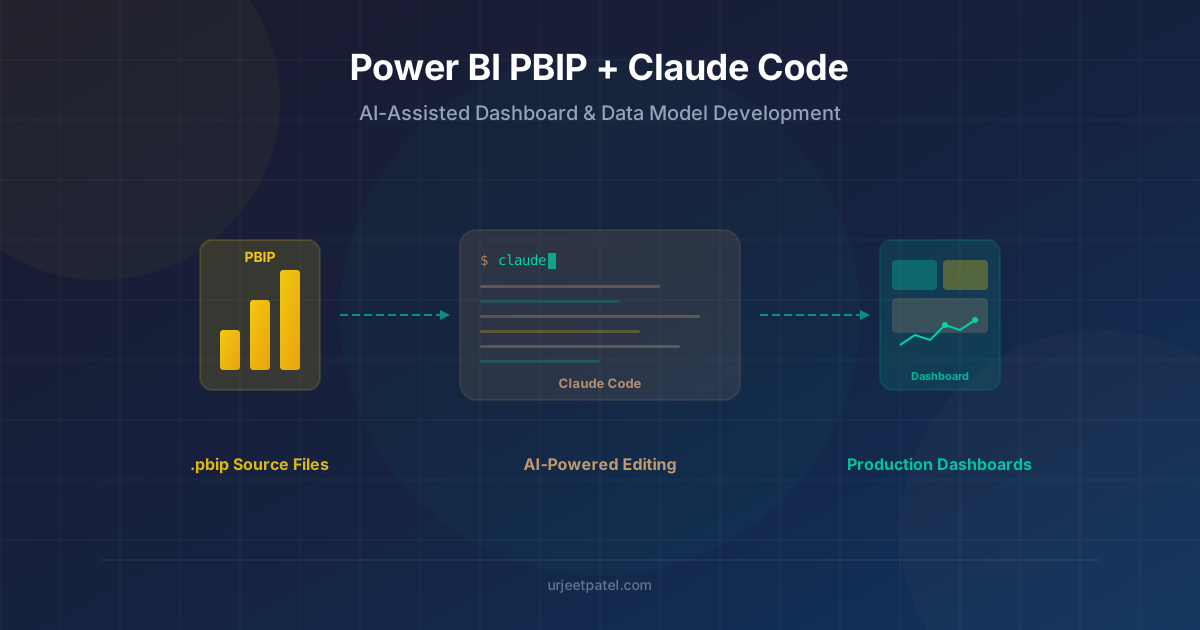
Using PBIP and Claude Code for More Practical Power BI Development
How PBIP makes Power BI projects easier to diff, review, and edit with tools like Claude Code, with a practical look at where the workflow helps and where it still needs care.
If you build Power BI reports for any length of time, you eventually hit the same wall: the .pbix file is terrible to work with in a normal engineering workflow. You cannot diff it meaningfully, code review is awkward, and any attempt to automate report changes quickly turns into UI-driven click work.
That is why PBIP matters. A Power BI Project gives you a file-based representation of the report and semantic model so you can use Git, editors, scripts, and AI tools against something other than a single opaque file.
What changed for me was pairing PBIP with Claude Code. Not because an AI suddenly understands my business logic better than I do, but because it is very good at the repetitive file-level work that Power BI has traditionally made painful.
This is the workflow I have found useful, where it helps, and where you still need to be careful.
What PBIP Actually Gives You
When you save a report as a Power BI Project, Power BI Desktop writes the project out as folders and text files instead of only keeping everything inside a .pbix.
At a high level, the project looks like this:
MyReport.pbip: A pointer file that opens the project.MyReport.Report/: The report definition.MyReport.SemanticModel/: The semantic model definition.
That does not mean every file is equally safe to hand-edit, and it does not mean every project will use the exact same internal format.
For the semantic model, current projects can be stored in one of two ways:
- TMSL via
model.bim - TMDL via a
definition/folder, still a preview feature but with an official TMDL VS Code extension that makes hand-editing much less error-prone
For the report, the file-per-object format is PBIR — now the default for new reports in both the Power BI service and Desktop, with PBIR-Legacy (report.json) on its way out. If you started a project before that switch, it is worth checking which format you actually landed on.
That distinction matters because I think of PBIP as source-control-friendly Power BI, not as a guarantee that every artifact is equally safe to edit externally.
Still, the practical improvement is real: once the report and model are represented as files, you can search them, diff them, and batch-edit them with much better precision than you ever could with a .pbix alone.
Why Claude Code Fits This Workflow
The useful part of Claude Code is not that it writes magical DAX. The useful part is that it can operate directly on the project files in context.
That changes the interaction model:
- You do not need to paste large chunks of JSON or TMDL into a chat window.
- You can ask it to inspect related files before proposing a change.
- You can review the actual diff in Git after it edits the project.
In practice, I treat it like a fast file-aware assistant, not an authority. It is good at locating the right object, following naming patterns, and making broad but mechanical edits. It is not good enough to trust blindly on model semantics, DAX correctness, or report behavior.
Since I first wrote this, the tooling around this specific pairing has matured beyond plain prompting. There is now a small ecosystem of Claude Code Skills and MCP servers purpose-built for PBIP: skills that teach the agent TMDL syntax directly so it stops guessing at the grammar, CLI-based tools that read and write semantic models and PBIR reports without going through an MCP server at all, and MCP servers that expose natural-language operations like creating a date table or a time-intelligence measure. None of this changes the underlying judgment calls, but it does mean you no longer have to hand-explain TMDL structure or PBIR schema quirks in every session — that context can live in a skill instead of your prompt.
Practical Workflow Patterns
1. Adding or Refactoring Measures
This is the first place PBIP plus an AI agent starts to feel genuinely useful.
If the semantic model is stored as TMDL, measures are readable in table-level .tmdl files. If the model is still using TMSL, the logic is sitting in model.bim. Either way, the definition is now text, which means an agent can inspect the existing naming conventions, folders, and related measures before editing.
A prompt I would actually use looks like this:
Add a YoY Growth % measure in the Sales table. Match the naming and formatting style used by the existing measures, and use
DIVIDEso the prior-year zero case is handled safely.
What I want back is not a one-off formula in chat. I want a precise file edit plus a diff I can review.
If the project is using TMDL, the result might look more like this:
measure 'YoY Growth %' =
    var CurrentYear = [Total Sales]
    var PriorYear = CALCULATE([Total Sales], SAMEPERIODLASTYEAR('Date'[Date]))
    return DIVIDE(CurrentYear - PriorYear, PriorYear)
    formatString: 0.00%
That is the kind of structure I expect to edit in a TMDL-based project.
The same approach works for bulk cleanup:
- add descriptions to measures missing documentation
- standardize format strings
- find inconsistent naming like
GrossMarginPctversusGross Margin % - identify measures that repeat the same calculation pattern
That last category is where I get the most value. I still decide whether a refactor is correct. The agent just does the slow reading and editing work.
2. Reviewing Relationships and Model Structure
PBIP also makes model review easier because relationships are visible in the semantic model definition rather than buried behind the UI.
The exact file depends on the format:
- in TMDL, relationships are typically in
relationships.tmdl - in TMSL, they are part of
model.bim
That means you can ask more targeted questions than “is my model okay?”
For example:
Inspect the semantic model and list any bi-directional relationships, many-to-many relationships, or naming patterns that suggest a weak star schema.
That is useful because the output can be concrete. Instead of vague feedback, you can get a short list of suspicious objects to validate in Desktop or Tabular Editor.
I would still validate every recommendation manually, especially around filter direction and ambiguity. But for a first-pass audit, it is much faster than clicking through the relationship view and hoping you do not miss something.
3. Batch Editing Report Definitions
This is the area where I am most careful in practice.
Yes, file-based report definitions make bulk edits possible, because PBIR stores report objects like pages and visuals as individual JSON files with public schemas. That is what makes external editing realistic in the first place — it would not be worth attempting against PBIR-Legacy’s single report.json.
On that format, a tedious request like this becomes feasible:
Find all card visuals and update the label font size from 12 to 14, but only on pages whose name starts with Executive.
That is a good use of an AI agent because it combines search, filtering, and repetitive edits. It is still worth stressing two limits:
- external edits can break the report if the file shape is wrong
- Power BI Desktop may require a restart before those edits are reflected
So yes, this workflow is real. But it is not as simple as updating some JSON and assuming the report will open cleanly or behave exactly as expected.
The Git Workflow Is the Biggest Upgrade
For me, this is the real reason to care about PBIP.
Once the project lives as files, Power BI work starts to fit a normal development loop:
- Create a branch for a report or model change.
- Ask Claude Code to make a focused edit against the PBIP files.
- Review the diff before opening Desktop.
- Open the project in Power BI Desktop and validate behavior.
- Commit only after the model and report still behave correctly.
That review step matters. If an AI agent changes a measure definition, relationship property, or visual config in the wrong place, the problem is now visible in source control. That is already a major improvement over trying to remember what changed inside a .pbix saved three hours ago.
Where This Works Well
PBIP plus Claude Code is strongest when the task is repetitive, text-oriented, and easy to verify:
- add descriptions across many measures or columns
- standardize formatting or naming
- locate references to a field or measure across the project
- inspect report or model metadata for inconsistencies
- prepare larger edits that you will still validate in Desktop
I am much less interested in using AI to redesign a semantic model end to end. A model can be syntactically valid and still be wrong for the business. PBIP makes the files accessible; it does not remove the need for judgment.
A Few Practical Rules
- Commit before asking the agent to edit anything. A clean diff makes review much easier.
- Know which format you are actually on. PBIR is now the default for new reports, not something you opt into, so confirm whether you are on PBIR or PBIR-Legacy before assuming a file layout. TMDL is still opt-in.
- Expect to validate in Power BI Desktop. External edits are powerful, but they are not the final source of truth for report behavior.
- Use AI for mechanical work first. Metadata cleanup, naming consistency, and targeted bulk edits are much safer than open-ended model changes.
- Prefer a purpose-built skill over ad hoc prompting where one exists. A skill that already encodes TMDL or PBIR schema rules will make fewer structural mistakes than an agent inferring the format from a single example file.
Wrapping Up
The preview caveats on PBIR and TMDL are real, and PBIP alone will not turn Power BI into a mature software practice overnight. What it does is remove the biggest historical constraint: the report and model finally live as files instead of one opaque binary.
That is what makes Claude Code useful here — it can work against those same files, doing the mechanical reading and editing so you spend your attention on the judgment calls: whether a measure is correct, whether a relationship makes sense, whether a visual still looks right.
That is the shift I care about: Power BI development starting to behave a little more like the rest of modern engineering, one file-based edit and one reviewed diff at a time.
Related Posts
A practical migration guide for experienced Power BI developers moving from PBIX to PBIP, with a real Git branching model and an Azure DevOps setup that supports multiple developers working on the same reports and semantic models.

Explore how AI capabilities in Power BI Desktop can transform your data analysis — from smart narratives to automated insights and natural language queries.